
Amirhossein Ebadi
Founder & Chief Marketing Officer

Discover the 25 best workflow management tools tested by experts to help your team eliminate repetitive tasks and boost productivity in 2025.

67% of global employees spend too much time on repetitive tasks. Is your team stuck doing work that software should handle? Workflow management software has become the difference between teams that scale efficiently and those that burn out from endless busywork.
Many small and mid-sized businesses are turning to workflow automation to solve this challenge. If you're looking for tailored solutions, check out our SmartFlow service.
Finding the right workflow management system saves your business time and money. The market tells the story—$11.3 billion in 2023 with 30% growth projected by 2028. Smart businesses know that workflow tools multiply productivity by breaking down complex processes into manageable steps and assigning them to the right people. The challenge? Picking the best option from hundreds of available tools.
We tested dozens of workflow management solutions to create this expert-tested guide. Whether you need marketing workflow tools or enterprise-level automation, you'll find practical options that deliver real results for your team.
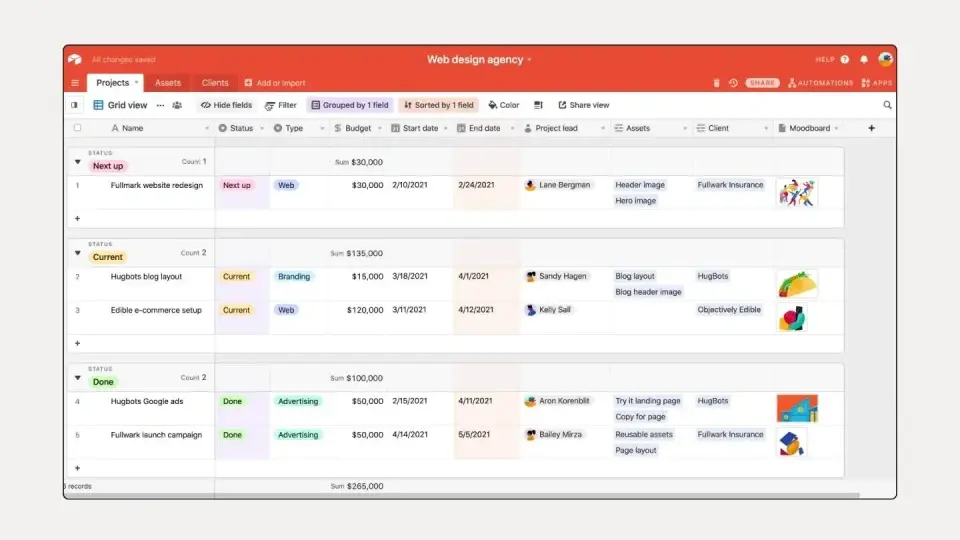
Airtable combines spreadsheet simplicity with database power, creating a flexible workflow management platform that grows with your business. Teams build custom apps and automate processes without needing technical expertise.
The platform's database-spreadsheet hybrid design lets you organize information your way. Choose from Grid, Kanban, Calendar, Gallery, Gantt, and Timeline views to match how your team works best. AI capabilities embed intelligence directly into your workflows, while Interface Designer creates custom dashboards from your data. Built-in automation handles repetitive work so your team focuses on what matters most.
Pros:
Cons:
Creative teams, marketing departments, and project managers handling data-intensive workflows find Airtable particularly valuable. Organizations wanting custom workflows without technical complexity see strong results from this platform.
Connects with essential business tools including Slack, Google Drive, Salesforce, Zendesk, and Jira. The platform also integrates with Dropbox, Box, Gmail, social media platforms, and project management tools like Asana, Basecamp, and Trello.
TrustRadius users give Airtable 8.7 out of 10 based on over 800 reviews. Teams praise its customization options, visualization flexibility, and ease of use. Some users express concerns about performance with large datasets and scaling costs.
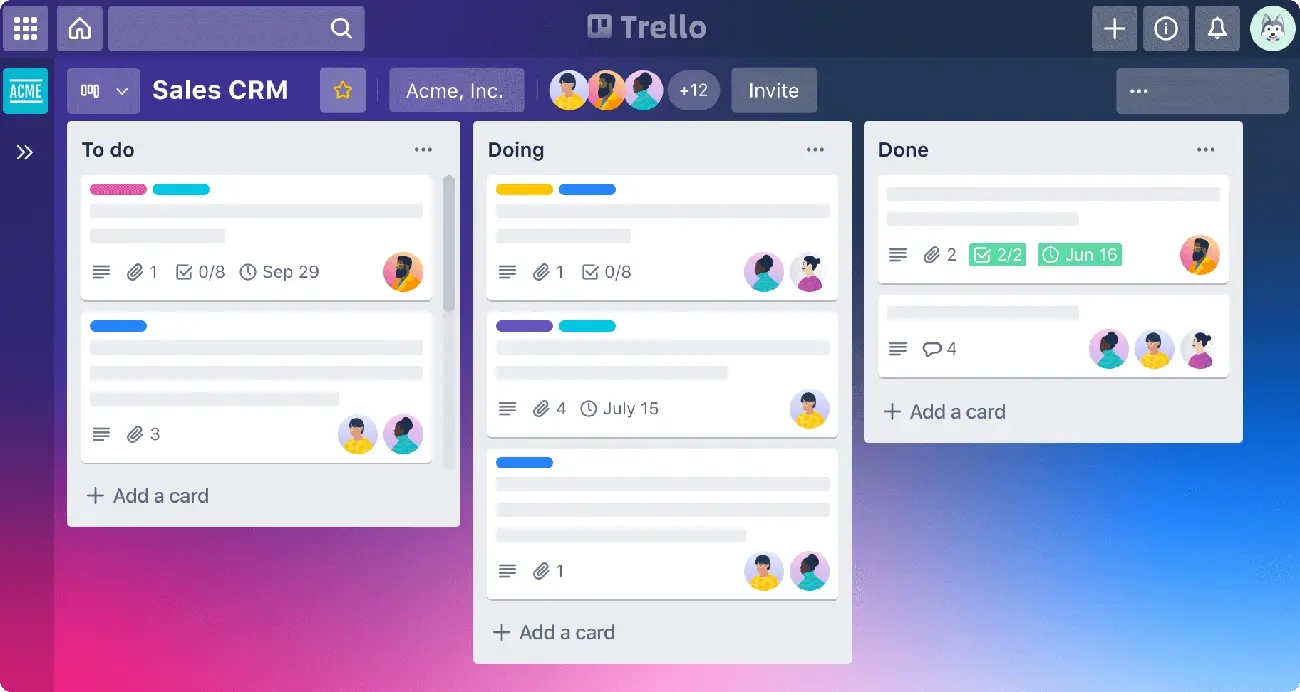
Trello turns project chaos into visual clarity with its Kanban board system. Teams drag and drop tasks through customizable workflows, tracking projects from start to finish without complex setup.
Trello's Kanban boards organize work into boards, lists, and cards that your team can see at a glance. The Inbox pulls to-dos from emails, Slack messages, and voice commands into one place. Trello's Planner connects with your calendar to block time for focused work. Butler automation handles repetitive tasks without coding, while Power-Ups connect your favorite tools directly to boards. Ready-made templates from industry experts help teams get started fast.
Pros:
Cons:
Small teams need visual task management without complexity. Marketing teams benefit when launching campaigns and organizing content creation. Product teams use it to simplify complex project tracking. Engineering teams apply it for agile development workflows. Design teams streamline creative request processes. Remote teams stay connected regardless of location.
Trello connects with essential business tools including Slack for team communication, JIRA Cloud for issue tracking, and Miro for visual collaboration. Key integrations include Google Calendar, Microsoft Teams, Outlook, Gmail, Confluence, Zapier, GitHub, Evernote, and Salesforce. These connections extend Trello beyond basic boards into complete workflow systems.
Teams praise Trello's visual organization and ease of use across review platforms. Gartner reviewers highlight its effectiveness for organizing work and team collaboration. Research shows 89% of professionals believe organized teammates are most productive. Some users note the updated interface feels less intuitive and managing larger projects can become challenging.
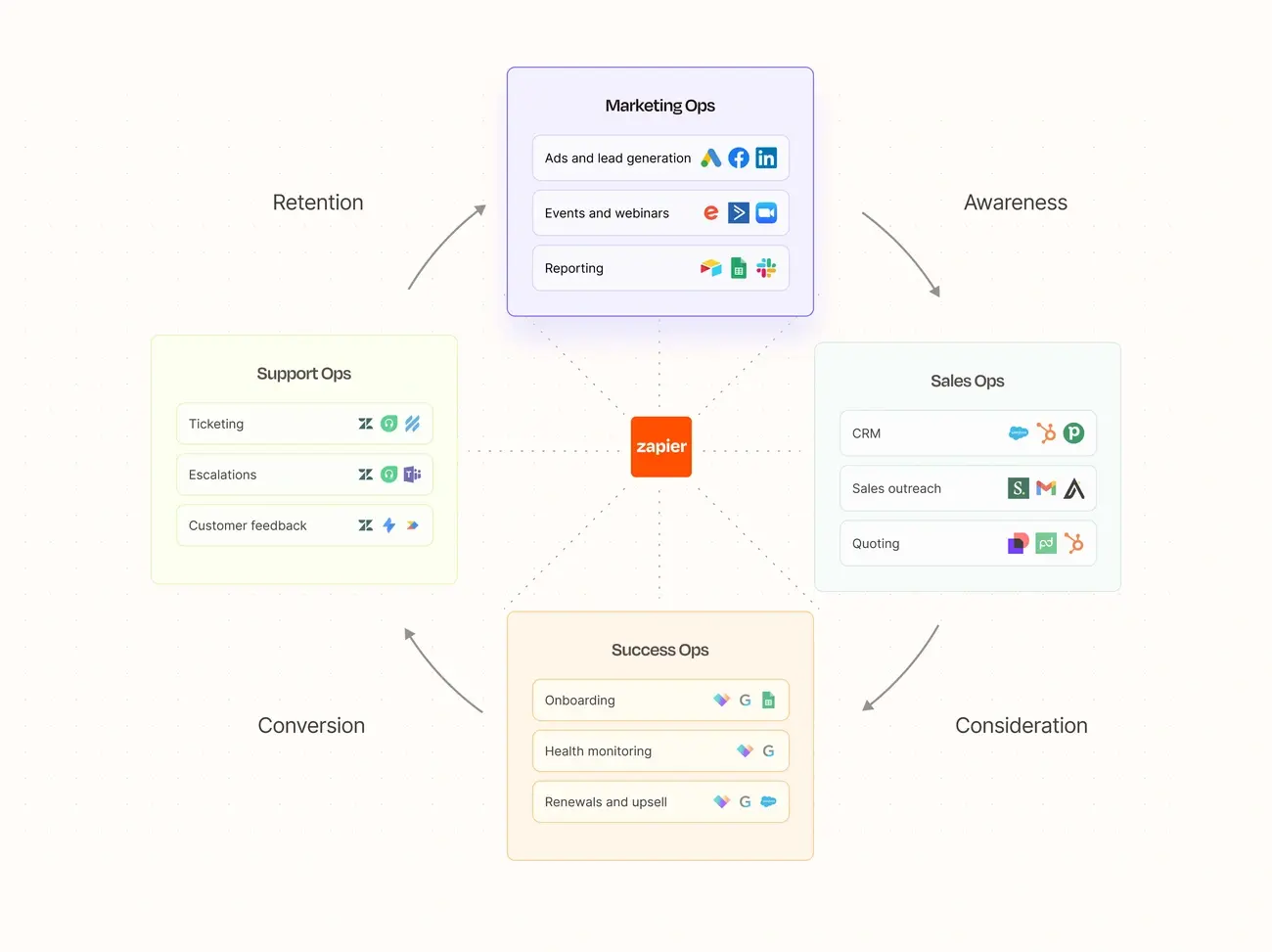
Zapier eliminates the manual work that bogs down your team by connecting apps that don't naturally talk to each other. This automation platform helps businesses bridge gaps between their favorite tools without needing a technical team.
Zapier works through "Zaps"—simple automated workflows that follow "If X happens, do Y" logic. You can chain multiple actions across different apps in multi-step sequences. The Zapier Copilot feature lets you describe what you want automated in plain English, and AI builds the workflow for you. The platform handles conditional logic, data formatting, and real-time processing for urgent tasks.
Pros:
Cons:
Teams looking to connect disconnected systems find Zapier most valuable. Marketing departments use it to sync campaign data, finance teams automate invoice processing, HR departments streamline candidate tracking, and sales teams keep CRM data current. Small businesses without IT resources benefit most from its simplicity.
Zapier's strength lies in its massive ecosystem connecting tools like QuickBooks Online, Shopify, PayPal, Google Sheets, and Mailchimp. It works with Alexa for voice automation but doesn't support Google Assistant or Siri. The platform supports webhook connections for custom integrations without programming.
Users appreciate Zapier's automation flexibility and ease of setup. However, many express concerns about costs climbing as automation needs grow. The platform has earned over 3,000 verified reviews on Capterra, demonstrating wide business adoption across industries.
Nintex delivers no-code workflow automation that eliminates manual processes across entire organizations. This platform stands apart by embedding AI directly into workflow design, making complex automation accessible to business users.
The AI Workflow Generator turns business ideas into working processes through guided prompts. Teams describe what they need, and the AI builds the workflow. The AI Forms Assistant creates forms through simple conversations—no design skills needed. Nintex also provides drag-and-drop builders, system connections, end-to-end process automation, and mobile access via the Nintex Mobile app.
Pros:
Cons:
Four pricing tiers: Essentials (entry-level), Professional (SMBs), Expert (complex needs), and Enterprise (full capabilities with user licensing). Annual investment ranges $25,000 to $185,000.
Nintex excels at automating processes that span multiple departments—employee onboarding, purchase approvals, and case management. Healthcare organizations benefit from HIPAA compliance, while manufacturing, retail, and financial services appreciate the enterprise-grade security.
Connects with Microsoft 365, Salesforce, SAP, SharePoint, and Teams. The platform offers API connectors and an Xtensions framework for custom connections.
Users give Nintex 5.0/5.0 for customer service and features, with 4.0/5.0 for value. Long-term customers praise reliability, though some express concerns about recent pricing adjustments.
Hive centralizes your team's work in one visual workspace that actually makes sense. This all-in-one platform stops the chaos of scattered projects and brings real-time collaboration to teams who need to get things done.
Choose how you want to see your work—Kanban, Gantt, Timeline, List, Calendar, and Portfolio views adapt to your team's style. Custom labels and priority settings keep urgent tasks visible while AI tools help without getting in the way. Hive becomes your single source of truth for project tracking, team reporting, and workflow management.
Pros:
Cons:
Marketing teams juggling multiple campaigns find Hive keeps everything organized. Design teams benefit from approval workflows that speed up creative reviews. Remote teams use it as their communication hub while project managers appreciate the flexible visualization options and AI-powered planning tools.
Connect with 1000+ tools through Hive's integration ecosystem. Work with Google Drive, Dropbox, Microsoft OneDrive, Slack, Zoom, QuickBooks, Jira, Github, and Microsoft Teams. Zapier integration opens up thousands more app connections.
Teams rate Hive 4.6/5 on G2.com. Capterra users give strong scores—4.4/5 for ease of use and 4.5/5 for customer service. Users consistently praise the collaboration features and project visualization capabilities.
Quixy delivers no-code digital workflow automation that puts application building power directly into business users' hands. This platform eliminates the traditional coding bottleneck that slows down digital process improvements.
The platform centers around a 5-step drag-and-drop application builder designed for rapid deployment. Quixy includes an integrated cloud database, visual application designer, and enterprise-grade security features. The workflow automation engine supports dynamic forms, auto-validation capabilities, and role-based access controls.
Pros:
Cons:
Three tiers serve different business needs: Platform, Solution, and Enterprise. Solution plans start at $165/month (annually) supporting 20 users with 1000 monthly workflow actions. Platform plans work for high user counts with fewer apps, while Enterprise offers advanced customization.
Businesses seeking rapid process automation without technical dependencies find Quixy particularly valuable. The platform excels for organizations that need quick application development cycles.
External system connections work through Webhook API, Report API, External Integrations, and External app references. The platform supports 3000+ Zapier integrations for extensive third-party connectivity.
Users consistently highlight reduced manual work and improved performance. TrustRadius reviews show an impressive 9.9/10 rating from 33 verified reviews.
Nanonets tackles a specific workflow problem: extracting data from documents without manual data entry. This AI-powered platform helps teams process invoices, receipts, and forms automatically, saving hours of tedious work.
The platform uses advanced OCR and Deep Learning to pull information from unstructured documents. Nanonets handles document classification, checkbox detection, barcode reading, signature verification, and provides detailed analytics. Teams build workflows using drag-and-drop blocks for data extraction and enrichment, with usage-based pricing.
Pros:
Cons:
Flexible pricing options include:
Nanonets works best for industries processing lots of documents—finance, healthcare, insurance, and logistics companies. The platform shines at automating accounts payable, cutting invoice processing time dramatically.
The platform connects with Google Drive, Dropbox, SharePoint, Zapier, and Notion. It also integrates deeply with ERP/CRM systems including QuickBooks, Salesforce, Xero, NetSuite, and databases like MySQL and PostgreSQL.
Users rate Nanonets 4.7 out of 5 stars across verified reviews. 67% give 5-star ratings while 33% provide 4-star feedback.
Bit.ai turns document collaboration into a workflow management solution that centralizes knowledge creation and sharing. Teams build interactive documents and wikis without switching between multiple platforms.
The AI Genius Writer delivers 300+ AI-powered prompts that generate content instantly. Smart workspaces organize documents by teams, projects, and clients for better structure. Real-time collaboration lets teammates edit documents simultaneously from any location. The wiki builder creates searchable knowledge bases that connect information across projects. With 100+ integrations, teams embed videos, spreadsheets, designs, and other content directly into documents.
Pros:
Cons:
Teams managing document-heavy workflows get the most value from Bit.ai. Marketing departments organizing campaigns, IT teams documenting processes, and sales teams creating client materials see immediate benefits. Design teams sharing mockups, HR professionals streamlining onboarding, and client collaboration through secure portals also find strong use cases.
Bit.ai connects with over 100 applications to enhance document functionality. File management integrations include Google Drive, OneDrive, Dropbox, Box, and SharePoint. Design and development connections support Figma, Marvel, and GitHub. Additional integrations cover Trello, Calendly, Miro, YouTube, and Tableau.
Users give Bit.ai a perfect 5.0/5.0 overall rating based on verified reviews. Reviewers consistently praise the intuitive interface and organizational capabilities. One user noted it "surpassed expectations" with its ability to display pictures, videos, and documents within the main document. Users frequently mention it provides a more structured experience compared to traditional document tools.
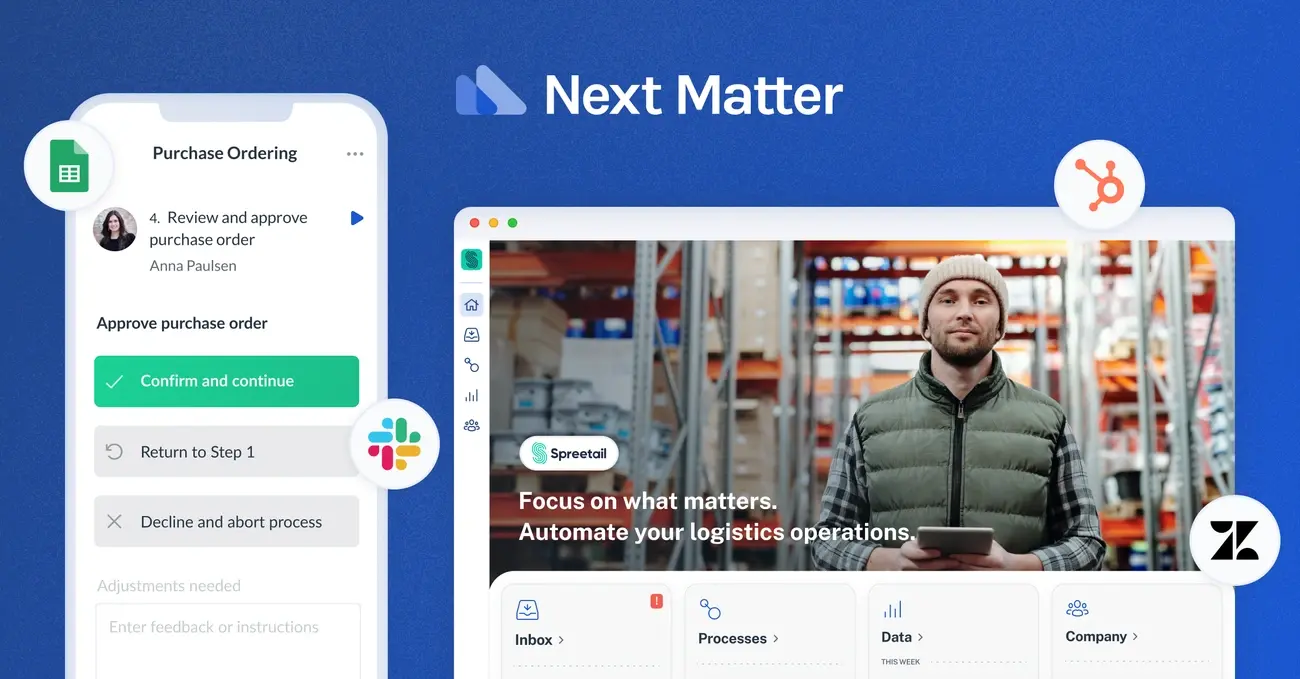
Next Matter delivers an intuitive visual workflow builder that empowers business users to create service processes without IT bottlenecks. This workflow management solution connects automation with human collaboration seamlessly.
The visual workflow builder serves as Next Matter's core strength, letting users design processes through drag-and-drop simplicity. Teams get access to a comprehensive builder toolbox with thousands of automations, AI capabilities, and custom API options. The platform provides team interfaces for cross-functional collaboration, manager dashboards for tracking operations, and guest interfaces for external user engagement.
Pros:
Cons:
Next Matter offers tiered pricing with Enterprise Unlimited at €7,500/month platform fee plus €49/user/month. Organizations needing maximum customization can access Enterprise Custom plans with tailored options and custom pricing. Entry-level pricing starts at $29 per user per month according to TrustRadius.
Next Matter serves lean enterprise organizations requiring streamlined service operations. Case studies demonstrate 94% reduction in manual compliance tasks and 85% faster resolution of B2B merchant claims. The platform excels in financial services, retail operations, and cross-functional business processes.
The platform connects with hundreds of applications including Zendesk, Google Sheets, Slack, and Microsoft tools. Integration options include no-code templates for quick setup and custom integrations using REST APIs. Next Matter also supports AI model integration directly into workflows.
Users praise Next Matter's intuitive interface and excellent customer support, with reviews highlighting a 4.9/5 rating for customer support. On TrustRadius, users rate the platform highly for eliminating manual tasks and accelerating process implementation.
ProProfs Project cuts through project management complexity with its straightforward task-centric approach. Teams get visual project tracking without the learning curve that slows down other platforms.
The platform delivers comprehensive task management that breaks projects into manageable tasks and subtasks. Teams work with multiple views—Gantt charts, Kanban boards, Calendar, and List formats—choosing what fits their workflow. ProProfs Project includes unlimited file storage, real-time team updates, and built-in time tracking for billable hours. The automation handles repetitive work while customizable dashboards and detailed reports keep everyone aligned.
Pros:
Cons:
Small to medium businesses get the most value from ProProfs Project's visual approach. Marketing teams, IT departments, and creative teams find it particularly effective. Startups appreciate the streamlined collaboration without complex setup requirements.
ProProfs connects with essential tools including Zapier, Slack, and Google Calendar. The platform also links with help desk systems to turn customer tickets into actionable project tasks.
Users consistently rate ProProfs Project 4.7/5 overall. The software earns high marks for ease of use (4.7/5), customer support (4.7/5), and value for money (4.7/5). 92% of users recommend the software to other teams.
beSlick tackles workflow management from a different angle—it combines process documentation with execution in one streamlined platform. This tool helps teams document how work gets done while actually getting it done.
beSlick's drag-and-drop process builder lets you create workflows without coding knowledge. You can embed pictures, videos, documents, and links directly into process templates. The platform turns these templates into executable task checklists that follow your exact specifications with feedback loops for improvement. beSlick also provides real-time tracking, team collaboration tools, and process automation capabilities.
Pros:
Cons:
beSlick costs $10 per user per month, with annual billing saving you two months. They offer a free plan for up to three users plus a 14-day trial for all features.
beSlick works well for small to medium-sized businesses that need to organize operations and automate routine work. It performs particularly well in marketing, consulting, creative services, financial services, and compliance-heavy industries.
The platform connects to over 3,000 applications through Zapier. Key connections include CRM systems like Salesforce, Pipedrive, and HubSpot, along with cloud storage, email platforms, and databases.
beSlick gets strong ratings for task management and process customization. Users highlight easy implementation and helpful support. Most reviewers recommend it for businesses that need to track tasks and document processes.
Adobe Workfront tackles enterprise workflow challenges by centralizing planning, assignments, and execution across large organizations. This platform handles complex project management demands that simpler tools can't address.
Adobe Workfront delivers work management with automated task routing, demand management for handling incoming requests, portfolio management for prioritizing high-value projects, and resource management that optimizes team allocation. The platform streamlines review and approval workflows, provides customizable executive dashboards, and maintains enterprise-grade security protocols.
Pros:
Cons:
Adobe Workfront structures pricing across three tiers: Select (core features), Prime (advanced work management), and Ultimate (enhanced automation). Pricing requires direct sales consultation rather than published rates.
Large enterprises with multi-departmental project complexity get the most value from Adobe Workfront. Marketing teams managing brand campaigns, creative agencies handling client workflows, and IT departments coordinating system implementations benefit most.
Connects seamlessly with Adobe Creative Cloud, Experience Manager Assets, Microsoft Teams, Slack, Jira, and hundreds of business applications through Fusion integration platform.
Users rate Adobe Workfront 4.4/5 overall, with solid scores for ease-of-use (4.1/5), customer support (4.4/5), and functionality (4.3/5).
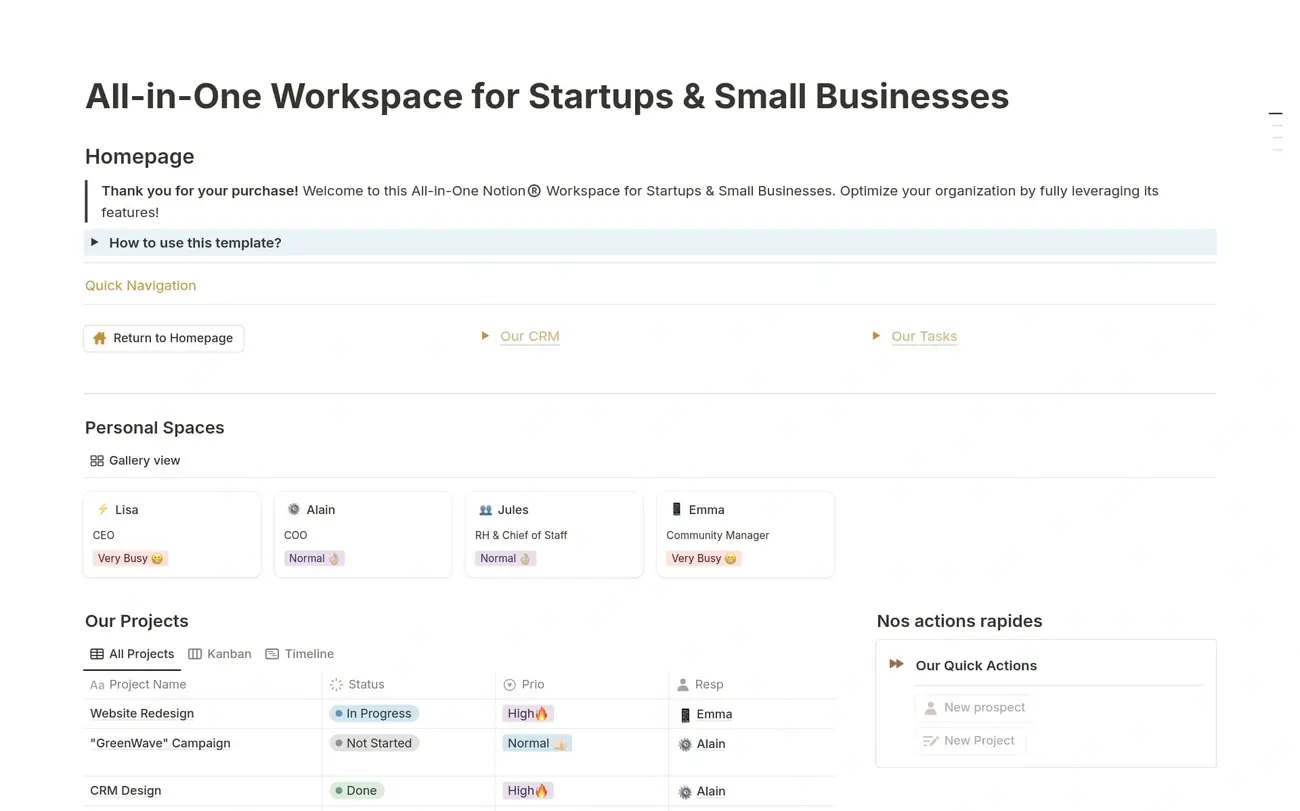
Notion works as your team's digital workspace where documents, databases, and project management live under one roof. This flexible platform lets you build exactly what your team needs without hiring developers.
Teams edit documents together in real-time without version conflicts. The block-based editor adds any content type—headings, images, kanban boards—with a simple "/" command. You get multiple ways to view your work: calendars, boards, tables, whatever fits your workflow. Recent AI features help with writing, meeting transcripts, and quick summaries. Plus, 20,000+ free templates get you started without building from scratch.
Pros:
Cons:
Perfect for teams wanting flexible document collaboration and knowledge management. Creative teams, marketing departments, product managers, and academic groups love its adaptability. Small startups and remote teams benefit from having everything centralized in one place.
Connects with essential tools through native integrations and its public API. Key connections include Google Calendar, Slack, Microsoft Teams, and Zoom. Zapier integration opens up 7,000+ additional apps.
Users consistently praise Notion's flexibility and customization power. Many love the clean interface and comprehensive features. Some mention the initial learning curve as expected. Teams appreciate replacing multiple single-purpose tools with one unified workspace.
While off-the-shelf tools work for many teams, businesses with unique processes often need custom AI solutions that integrate seamlessly with existing systems.
Fluix tackles a specific challenge: field teams drowning in paperwork. This mobile-first workflow platform turns document chaos into streamlined digital processes that work offline when your team needs them most.
Digital forms work without internet connection, so your field teams stay productive anywhere. E-signature functionality keeps approvals moving while automated document routing eliminates manual handoffs. The platform handles workflow automation with conditional logic and scheduling that adapts to field operations.
Pros:
Cons:
Field teams in construction, energy, aviation, and utilities get the most value. Perfect for organizations that need mobile data collection, workflow automation, and compliance documentation that actually works on job sites.
Connects with Procore, Dropbox, Google Drive, Monday.com, Smartsheet, and Asana. Also integrates with Slack, Tableau, and various CRM systems.
For businesses looking to automate sales and marketing workflows, our GrowthEngine service offers specialized solutions.
Users rate Fluix 4.8/5 for overall satisfaction. Even initially skeptical users call it "solid" and "better than expected".
Projectsly delivers comprehensive workflow management without the enterprise price tag. Part of the 500apps Infinity Suite, this budget-focused solution centralizes project planning and execution for teams that need powerful features without breaking their budgets.
The platform provides multiple visualization options including Kanban, List, Calendar, and Gantt views to match different workflow preferences. Users create unlimited projects with built-in icons and colors for better organization. The workflow automation tool uses a visual designer with drag-and-drop functionality to eliminate repetitive work. Goal management tracks progress while team discussions enable remote collaboration with real-time activity updates.
Pros:
Cons:
Projectsly offers straightforward pricing at $14.99 per user per month, which includes access to 50 business SaaS apps. This single pricing tier delivers unlimited projects, users, and features with no caps.
Small to medium businesses seeking centralized project management benefit most from Projectsly. Remote teams requiring task visibility, marketing departments organizing campaigns, and organizations needing consolidated business growth solutions find particular value.
The platform integrates with GitHub for enhanced task management, Gmail through an extension, and calendar apps via iCalendar sync. Clockly connects for time tracking while Teams.cc enables collaboration.
Users rate Projectsly 4.7/5 overall based on verified reviews. Specific feature ratings include Budget Management (5.0/5), Collaboration Tools (5.0/5), and Project Planning/Scheduling (4.8/5). Most reviewers praise its ease of deployment and task organization capabilities.
Brand assets scattered across drives, outdated logos in campaigns, teams searching endlessly for the right file. Bynder solves the digital asset chaos that costs marketing teams hours each week while risking brand consistency.
Bynder creates a single source of truth for all brand assets with AI-powered search that finds files fast. The platform handles content creation at scale through Content Workflow, builds custom templates via Studio, tracks performance with Analytics, and streamlines approvals through Asset Workflow. Teams get consistent brand experiences across every digital channel.
Pros:
Cons:
Bynder builds custom packages based on your asset management needs rather than offering standard tiers. The platform addresses asset organization, content production scaling, and digital experience challenges. Contact sales for pricing tailored to your requirements.
Large marketing teams and creative departments in retail, advertising, and media where brand consistency drives business value. Organizations managing extensive brand portfolios across multiple markets get the most from Bynder's capabilities.
Connects with 145+ applications including WordPress, Drupal, Sitecore, Salesforce, Adobe Creative Cloud, Canva, Figma, and project management tools like Wrike, Monday.com, and Trello.
97% of users rate Bynder 4 or 5 stars. Additionally, 93% believe the technology heads in the right direction, while 91% recommend the platform. Users consistently praise the support quality and user-friendly interface.
Team Compass cuts through workflow complexity with focused weekly planning and goal alignment. This lean tool prioritizes team transparency over feature bloat, making it perfect for teams that need clarity without the overhead.
Weekly planning sits at the heart of Team Compass, connecting directly to team goals. The platform tracks progress with employee sentiment updates and lightweight task management. You get visual goal tracking, performance summaries, real-time status updates, and customizable dashboards that keep everyone aligned.
Pros:
Cons:
Team Compass starts free for up to 3 users. Growing teams pay $108 monthly or $1,080 annually for 10 users. Simple pricing at $108/month per team with free trials available.
Perfect for remote and hybrid teams managing recurring business processes without heavy lifting. Small to mid-sized teams get the clarity, accountability, and alignment they need without fighting complex systems.
Connects with essential tools like Slack, Microsoft Teams, Jira, Asana, Basecamp, and Google Tasks. Zapier integration opens up additional third-party connections.
Users rate Team Compass 4.2/5 overall. 92% of users recommend the software to other teams.
Zoho Creator puts custom app development in the hands of business users. This low-code platform eliminates the need for technical teams when building workflow solutions that actually work for your operations.
Build apps fast with Zoho Creator's drag-and-drop interface. Teams get visual workflow builders, smart data import tools, and native mobile apps for iOS and Android devices. The platform includes Zia, an AI assistant that handles routine tasks.
Pros:
Cons:
Small and medium businesses that need internal tools without hiring developers. Works well for enterprises building connected business systems across departments.
Connects with 1000+ applications including Salesforce, QuickBooks, and Google Workspace. Supports Zapier, Zoho Flow, and custom API integrations.
Users rate Zoho Creator 4.3/5 stars across review platforms. Teams praise its automation capabilities and user-friendly environment.
Need help choosing the right workflow tool for your business? Book a free automation audit with our team.
Finding workflow management software that actually works for your team makes the difference between scaling efficiently and staying stuck in manual busywork. We tested these 25 solutions to save you time researching options that won't deliver.
Your choice depends on three factors: team size, process complexity, and budget. Small teams often succeed with visual tools like Trello or Notion. Enterprise organizations typically need robust solutions like Adobe Workfront or Nintex. Teams drowning in documents should consider specialized options like Nanonets or Fluix.
AI capabilities now enhance most platforms, making powerful automation accessible to non-technical users. Visual interfaces mean your team can start automating workflows without coding skills or IT dependencies.
Test before you commit. Use free trials to see how the software actually works with your team's daily tasks. Look beyond feature lists—focus on user adoption rates, integration with your existing tools, and scalability as your business grows.
The best workflow software eliminates repetitive work instead of adding complexity. Your team should spend time on high-value work, not managing the management system.
The right platform will cut manual tasks, speed up collaboration, and free your team to focus on growth. Pick one that matches your current needs and can grow with your business.
Want to learn more about business process automation and how it can transform your operations? Read our complete guide.
Q1. What are the key features to look for in workflow management software?
Look for features like visual workflow builders, task automation, collaboration tools, integrations with other apps, and reporting capabilities. The best software should also offer customizable workflows, real-time updates, and mobile accessibility.
Q2. How can workflow management software benefit small businesses?
Workflow management software can help small businesses streamline operations, improve team collaboration, automate repetitive tasks, and increase overall productivity. It provides better visibility into projects, helps manage resources effectively, and can scale as the business grows.
Q3. Which workflow management tool is best for remote teams?
Tools like Trello, Notion, and Hive are excellent for remote teams. They offer real-time collaboration features, cloud-based accessibility, and integrations with communication tools. The best choice depends on your team's specific needs and workflow complexity.
Q4. How does AI integration enhance workflow management software?
AI integration in workflow management software can automate complex tasks, provide intelligent insights, assist in decision-making, and improve overall efficiency. For example, Zapier's AI can build automation steps based on natural language descriptions, while Nanonets uses AI for advanced document processing.
Q5. What should I consider when choosing between free and paid workflow management tools?
When deciding between free and paid tools, consider factors like team size, required features, scalability needs, and budget. Free tools often have limitations on users, projects, or advanced features. Paid versions typically offer more robust capabilities, better support, and enhanced security, which may be crucial for growing businesses or those handling sensitive data.
Access our exclusive whitepapers, expert webinars, and in-depth articles on the latest breakthroughs and strategic implications of advanced automation and AI.